
COD vs Prepaid Orders
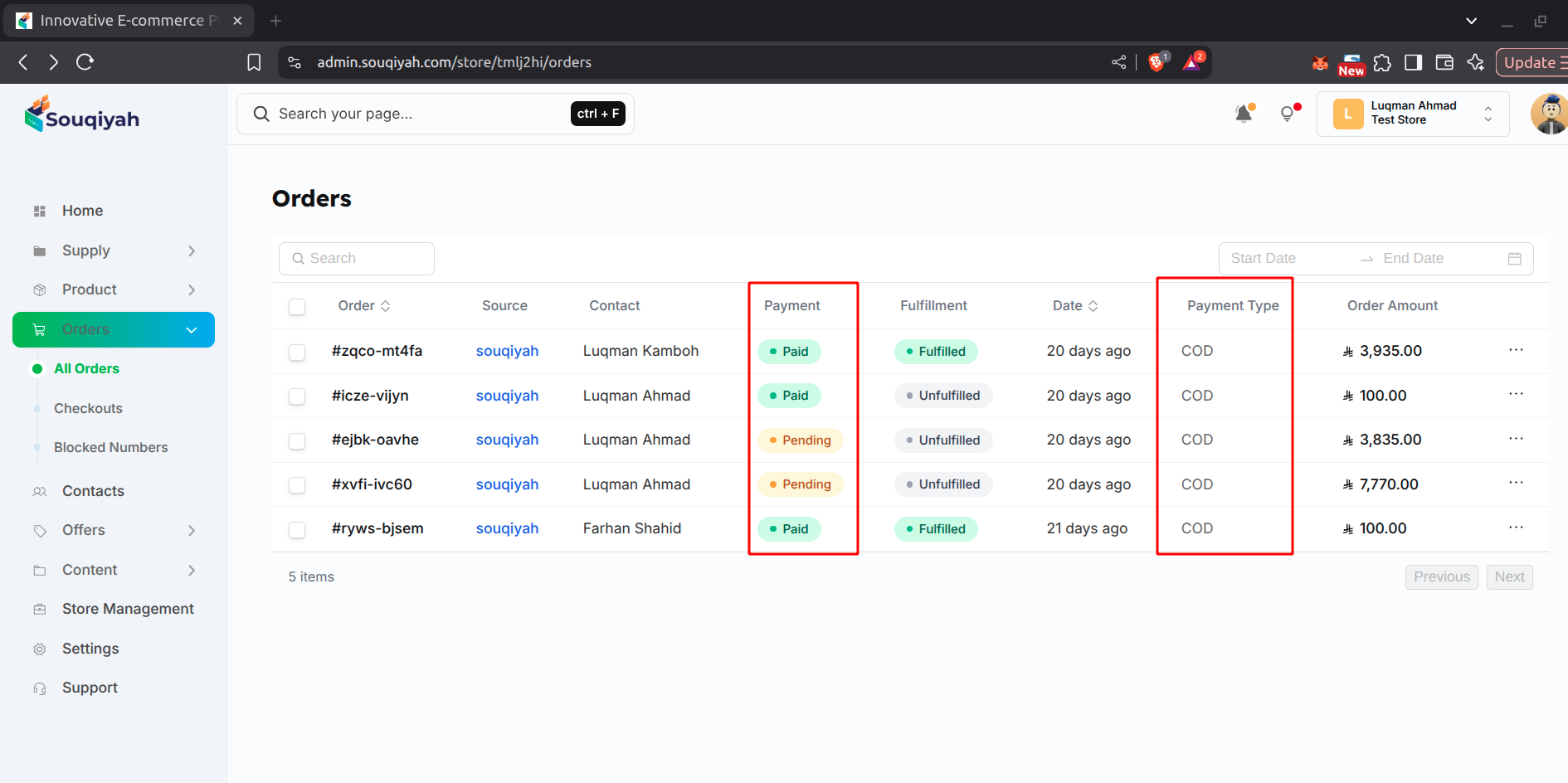
Understanding Payment Types
- Orders can be paid in two ways:
- COD: Customer pays when order is delivered
- Prepaid: Customer pays before order is shipped
Cash on Delivery (COD) Orders
What is COD?
- Customer pays when the order is delivered
- Payment is collected by the delivery person
- Common in many regions
Identifying COD Orders
- In the orders table, the Payment column shows "COD"
- In order details, payment status shows "Payment pending"
- Payment type is marked as "COD"
Managing COD Orders
- Monitor COD orders regularly
- Filter orders by "COD" to see all COD orders
- Check which orders show "Payment pending"
- Fulfill COD orders before payment (payment collected on delivery)
- After delivery, mark the order as "Paid"
Marking COD as Paid
- Open the order details
- Click "Mark as paid" in the payment section
- Confirm payment received
- Status changes to "Payment received"
Prepaid Orders
What is Prepaid?
- Customer pays before the order is shipped
- Payment received upfront
- Payment is verified automatically
Identifying Prepaid Orders
- In the orders table, the Payment column shows "Prepaid"
- In order details, payment status shows "Payment received"
- Payment type is marked as "Prepaid"
Managing Prepaid Orders
- Payment is already confirmed
- Safe to fulfill immediately
- No need to wait for payment
- Lower risk of non-payment
Key Differences
Unsupported block: table
Managing Both Types
For COD Orders
- Monitor payment collection
- Mark as paid promptly after delivery
- Track outstanding payments
- Communicate with customers about delivery
For Prepaid Orders
- Fulfill promptly (payment already received)
- Lower risk
- Better cash flow
- No payment collection needed
Tips
- COD: Monitor collection, mark as paid promptly, track outstanding
- Prepaid: Fulfill quickly, payment is secure, better cash flow
- Keep payment records updated
- Handle payment issues quickly