
How to Import Products in Bulk
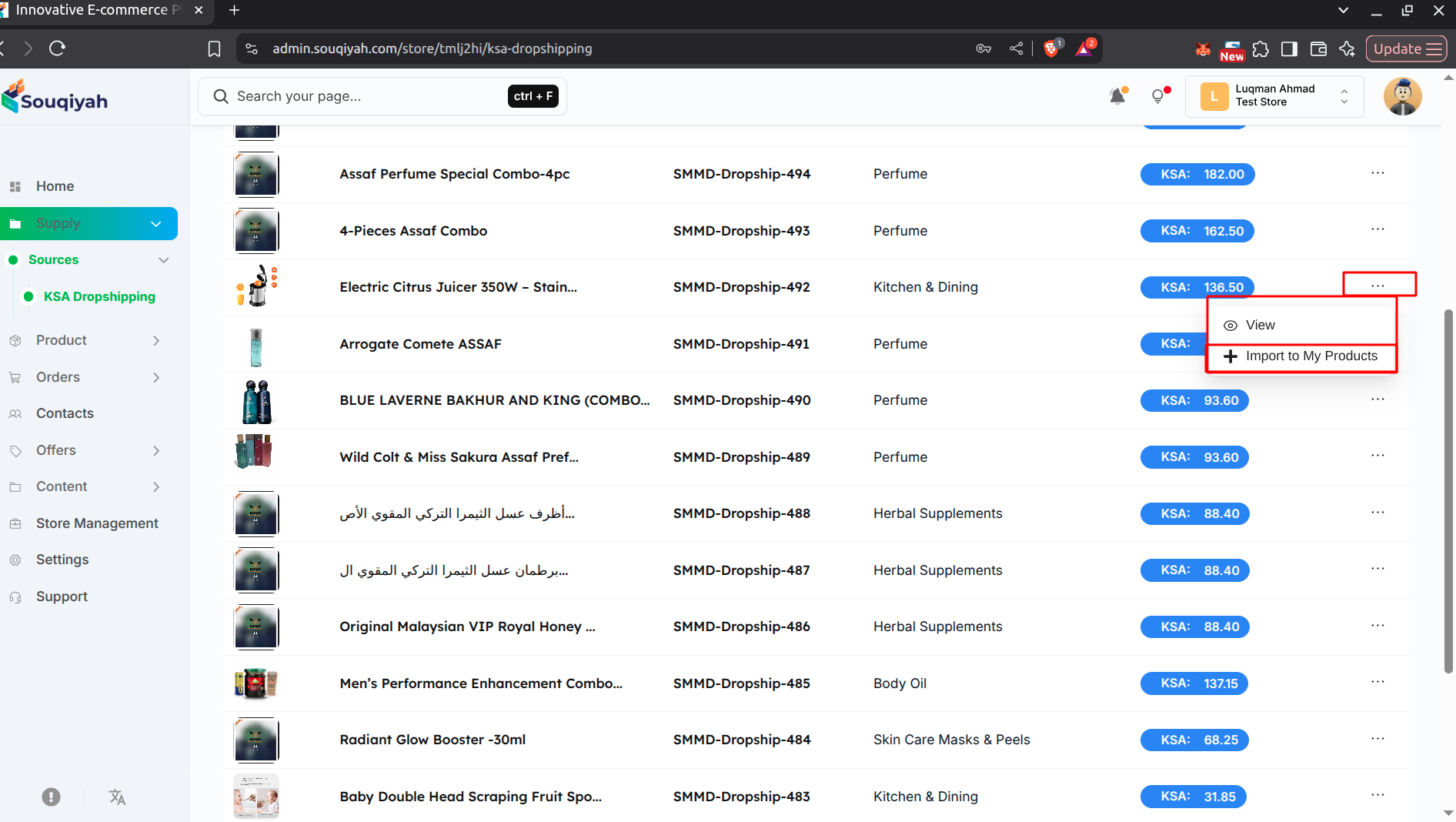
Method 1: Import from Dropshipping
- Go to Supply → Dropshipping
- Browse available products
- Click "Import" on the products you want
- They’ll be added to your store
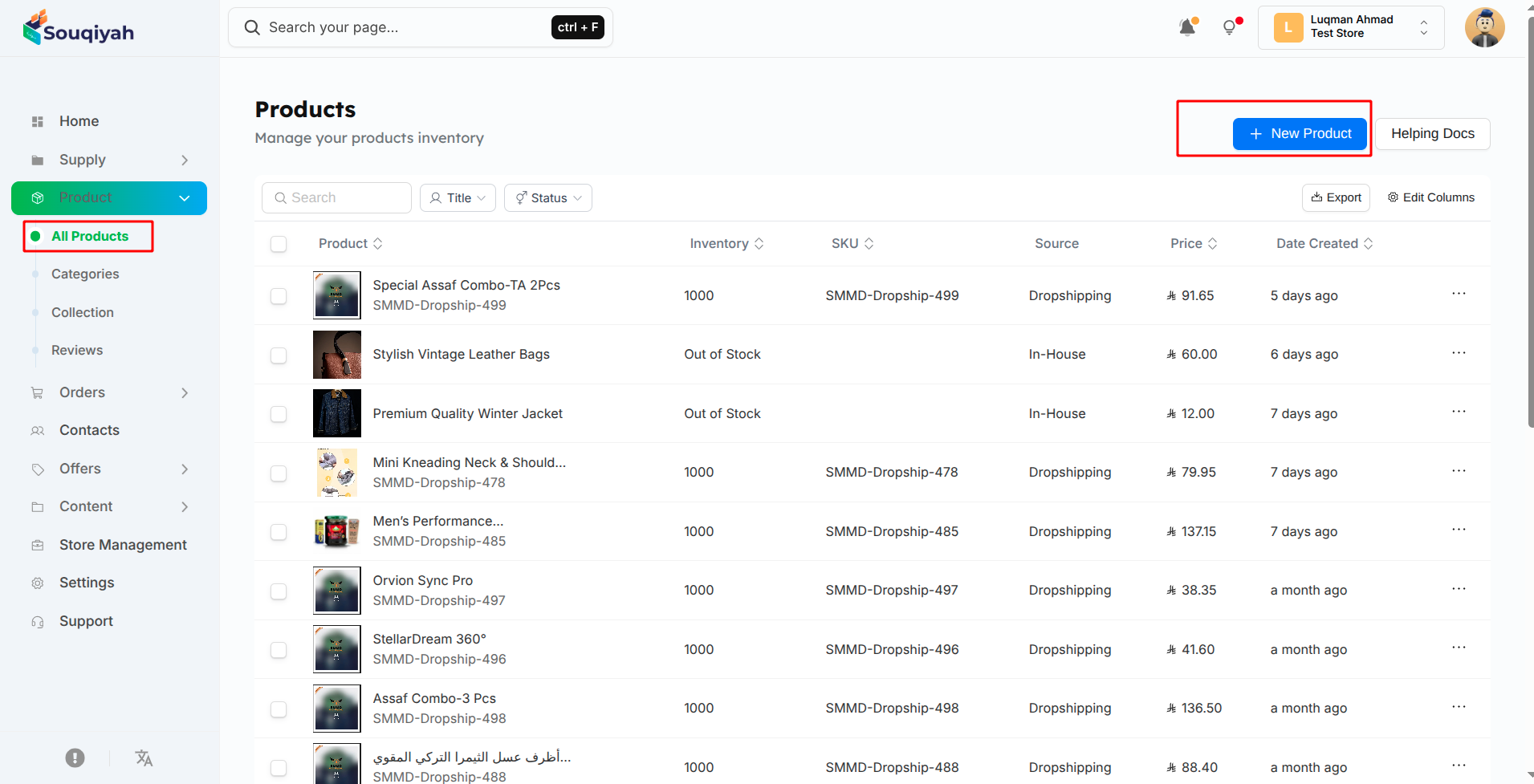
Method 2: Import from CSV/Excel File
- On the Products page, click "Import"
- Prepare your file:
- Use CSV or Excel format
- Include: Title, SKU, Price, Description
- Optional: Category, Image URLs, Inventory, Variants
- Upload your file
- Map your columns to product fields
- Review the preview
- Click "Import All"
- Check the results and fix any errors
Import Tips
- Test with a small batch first
- Make sure all required fields are filled
- Verify image URLs work
- Check that SKUs are unique
- Ensure categories already exist